The new article on Generic Tasks is dedicated to a task from the ” Velocity ” category. With the help of the task wizard, this task can be created in the shortest possible time, as always, and the corresponding object can be found everywhere in your environment, especially in urban areas. You can read the first article on Generic Tasks, which also tells you how to get to the task wizard and what Generic Tasks are, here.
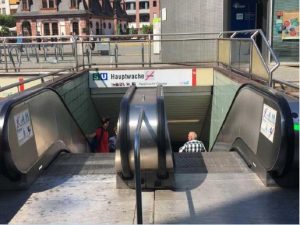
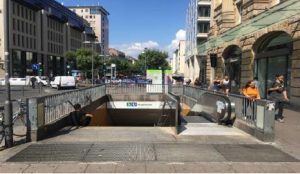
The object we are going to look at in this article is escalators. They are often found in public buildings or at the entrances to subway stations or train stations. The task that is available for escalators in the task wizard is:
“Determine the speed of the escalator. Give the result in meter per second. Give the result with two decimal places.”
Required for creating the task are the time duration, which the escalator needs to travel a well-defined distance. In addition, you can select whether the speed should be specified in m/s or in km/h. Based on the entered data, the wizard fills in the rest of the task form and only a picture needs to be added to complete the task.
In the next article we will deal with the probably most special category of Generic Tasks, the so-called GPS tasks. Until then, have fun and save time when creating MCM tasks with the Task Wizard!
This Generic Tasks article is about the wizard task from the “Growth” topic. As always with our Generic Tasks, the tasks can be created in no time with the help of the task wizard, and this time you can find the corresponding objects everywhere in your environment with even greater certainty than usual. The first article on Generic Tasks, which also tells you how to get to the Task Wizard and what Generic Tasks are, can be found here.
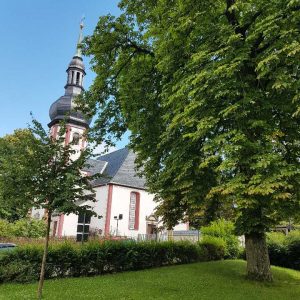
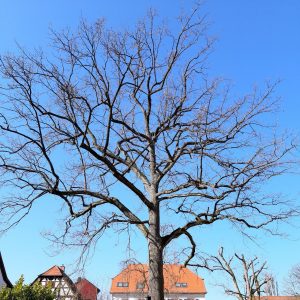
The objects we are looking at in this article on growth are, of course, trees. Whether in the countryside or in the city, the next MCM task is never far away. The task that is stored in the task wizard is:
“Determine the age of this tree. A tree with a diameter of approximately 40cm (measured in 130cm height) is about 72 years old. One can assume that the diameter grows proportionally. Give the result in years.”
To create the task, we need the circumference of the tree at a height of approx. 130 cm and the type of tree, i.e. whether it is an oak, a maple or a sycamore, since different trees naturally grow at different rates. The task can then be solved via the fact that the growth takes place almost linearly, so we can determine the growth of the tree per year via proportionality.
The next article on the issue of Generic Taks will deal with the topic of velocities, for which we will take a closer look at the escalator. Until then, have fun and save time when creating MCM tasks with the Task Wizard!
The new article on Generic Tasks is dedicated to tasks in the category “Volume and Weight”. As always, you can create these tasks in no time using the task wizard, and you will find the corresponding objects everywhere in your surroundings. The first article on Generic Tasks, which also tells you how to get to the task wizard and what Generic Tasks are, can be found here.
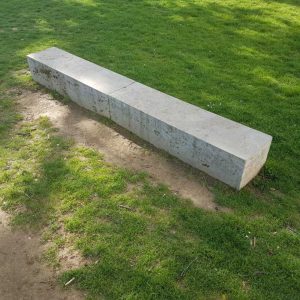
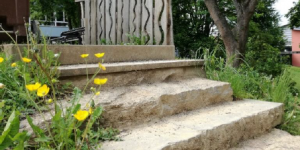
First, we would like to look at the object category of cuboids. Especially in public places or near buildings you can find stones or stone seats that can be approximated as cuboids. In the first picture of this article such a seat is shown as an example. The task, which is available in the task wizard, reads:
“How much does the stone weigh? 1m³ weighs 2600kg. Give the result in kg.”
Required for creating the task are the length, width and height, and optionally the density of the stone. If you do not have the density of the material, the wizard will give you an average value for the weight of a cubic meter of stone. Based on the entered data, the wizard fills in the rest of the task form and only a picture needs to be added to complete the task.
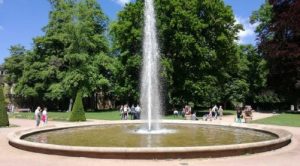
Another object that can be found in many cities is the fountain, with a fountain basin that can be modeled as a cylinder. The focus of this task is on determining the capacity of the fountain basin in liters, which is why the corresponding problem definition of the Generic Task, which is created by the Wizard, is as follows:
“How many liters of water are in the fountain?”
The data needed to create the task in this case are the radius of the fountain basin, which in practice can be easily determined by the circumference of the fountain, and the height of the basin.
In the next article on the topic of Generic Taks, we will turn to a classic wizard task. The focus will be on the growth rate of trees. Until then, we hope you have fun and save time when creating MCM tasks with the Task Wizard!
In this article on Generic Tasks, we would like to introduce you to two tasks from the “Number” category. As always, you can find the corresponding objects everywhere and the tasks can be created in no time using the task wizard. The first article on Generic Tasks, which also tells you how to get to the Task Wizard and what Generic Tasks are, can be found here.
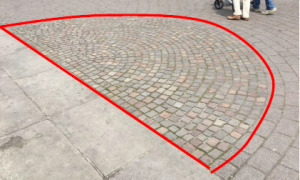
The first object category we want to talk about here are paved areas or walls. Especially in city centers or public places you can often find areas that are paved with stones. In the picture below you can see an example of a semicircular area, which was laid out with paving stones. The task, which is provided for this in the task wizard, reads:
“With how many paving stones was the area shown laid out?”.
The values needed to create the task with the wizard are only the size of the total area and the average number of stones on a square meter. Starting from this data, the wizard fills in the complete task form and only a picture needs to be added to complete the task. Similarly, there is a task in the wizard that asks for the number of bricks that make up a wall.
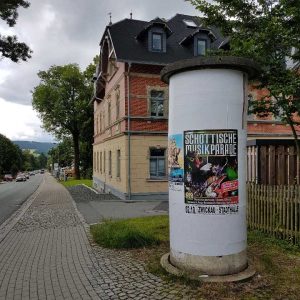
Another object for which a Generic Task can be created in the Wizard is the typical advertising pillar. After manually entering the circumference and height of the area that can be placarded, the task here is:
“How many DIN A0 posters can be placed on the advertisement pillar without overlapping? DIN A0: length = 84cm; height = 119cm.”.
An interesting aspect of this problem is that it can only be solved correctly if the condition of not overlapping, which is necessary in reality, is taken into account. If you divide the surface of the cylindrical column by the surface of a poster, you get a result which is mathematically reasonable, but which turns out to be wrong in the validation on the real situation.
In the next article about Generic Taks we will have a look at the tasks in the wizard, which are available for the topic “Volume and Weight”. Until then, we hope you have fun and save time when creating MCM tasks with the task wizard!
In the last article on Generic Tasks, which you can read here, we already showed you how you can use Generic Tasks to save time when creating tasks in your surroundings. In this context we showed you the Generic Tasks implemented in the system for the topic Combinatorics. Another theme that the task wizard can help with is slopes.
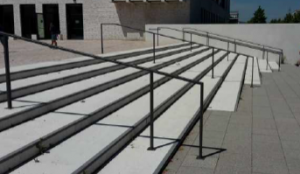
The objects for which Generic Tasks were created and which can also be found almost everywhere are ramps and handrails of staircases. Since, for example, ramps are not allowed to have a slope greater than six percent for use by wheelchairs, it makes sense to design an MCM task that asks exactly what the slope is.
To create the task, you only have to insert the data measured at the ramp into the task wizard and specify whether the result of the task is to be determined in percent or in degrees. The resulting task text is quite simple: “Determine the slope of the ramp in percent (degrees).
The creation of tasks with the wizard for handrails works in the same way. The sample solution and the hints are again created in a suitable way and only the task image has to be inserted.
In the next article on Generic Tasks we will deal with the creation of tasks on the topic “Number”. Until then, we wish you again a lot of fun and success in creating new tasks with MathCityMap!
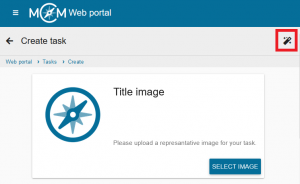
The so-called Generic Tasks offer a significant simplification when creating MathCityMap tasks. Generic tasks are tasks for objects that can be found, in a slightly modified form, in any place in the world. They are therefore tasks that can be implemented almost anywhere. Within the MoMaTrE project, several Generic Tasks, covering different topics, have been developed and implemented in the MCM web portal. You create a Generic Task by activating the so-called Task Wizard via the magic wand icon in the “Create task” section. Here you select the desired topic and object and enter only the data collected from your own object. The wizard then automatically creates a completely filled out task form with a ready-made sample solution, a suitable task text and appropriate hints. After inserting a task image, the task is thus ready for publication and can be used within a very short time.
In this and the following articles, we would like to introduce the various topics and objects for which Generic Tasks are currently available in the Task Wizard. First, we will take a look at the topic of combinatorics.
An object that can be found almost everywhere are stairs. Of course, a staircase can be used to design a wide variety of tasks. However, one combinatorial task that can be applied to any staircase is the following generic task:
“How many possibilities exist to go upstairs if one can take one or two steps within each move? The step sequences can be combined.”
There are several approaches to solving this task: One approach is to write down the possibilities systematically.
Another approach to solving the problem is to use the Fibonacci series:
(1) 1 2 3 5 8 13 21 34 55 89 etc.
When creating the task, you only have to specify how many steps the staircase consists of on which you want to create this task. Everything else will be filled in automatically by the task wizard.
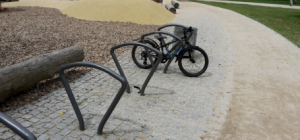
Another object for which a Generic Task from the combinatorics section was created and which can be found quickly is a bicycle stand. Here, the following task is generated by entering the number of existing bicycle racks and a quantity x of bicycles that you specify.
“x bikes should be locked at the stand. Each bike can be locked at the left or right. How many possibilities exist to lock the x bikes at the stand? It does not matter whether the bikes are locked “forwards” or “backwards”. You can assume that the stand is completely empty.”
Again, suitable sample solutions and hints are created by the wizard without any action on your part.
In the next article on Generic Tasks we will show you which possibilities for tasks regarding the topic “Slope” are already available in the task wizard of MathCityMap. Until then, we wish you a lot of fun and saved time when creating your own tasks!
The task “Trapézio” [engl.: “Trapezoid”] by Isabel Figueiredo, who was one of our partner in the MoMaTrE project from 2017-2020, is chosen to be our new Task of the Week. The task is located in the north of the Portuguese city of Porto.
How do you use MathCityMap? Please describe our European project here in a few sentences.
MathCityMap is a project of the working group MATIS I of Goethe University Frankfurt. It is co-funded by the Erasmus+ project MoMaTrE [Mobile Math Trails in Europe]. Currently, seven institutions from five countries are participating in this project that englobe a web portal and the MCM app. Unfortunately, the MoMaTrE project ended after three years at August 31th.
MathCityMap combines the well-known math trail idea with the current technological possibilities of mobile devices. I use MathCityMap for the dissemination and popularization of mathematics, to attract more students to continue their scientific and technological studies.
With the MathCityMap-Project we like to motivate students to solve real world tasks by using expedient mathematical modelling ideas outside the classroom in order to discover the environment that surrounds them from a mathematical perspective. Mathematics should be discovered and experienced and must be done on the spot.
Please describe your task. Where is it placed? What is the mathematical question? How could you solve it?
This task is placed in Maia, a Portuguese municipality in the district of Porto. In one of the entrances of this city there is a Monument located in the Jardim das Pirâmides. We ask for the area, in m², of the lateral surface that can be seen in the picture.
As the necessary data could not easily measured, the idea is to use a non-standard surface unit. The formula for the trapezoid area must be used, but the measurements to be used are determined by the rectangular plates that make up the structure. Students measure one of the plates and count the number of slabs on the trapezoid.
Which didactic aims do you want to stimulate through this task?
The task has as main objective to be able to apply the teaching content in the classroom to real objects and, thus, deepen the knowledge. The advantage of this is that it is clear that prior knowledge is necessary to be able to see everyday life from a mathematical perspective by training an eye for simple geometric figures in architecture. Another advantage is to lead students to find a different way to solve problems and don´t give up in face of obstacles.
Do you have any other commentary on MathCityMap?
MCM project integrates advanced digital technology with the math trails concept to illustrate the use of a technologically supported outdoor trail to enhance the teaching and learning of outdoor mathematics.
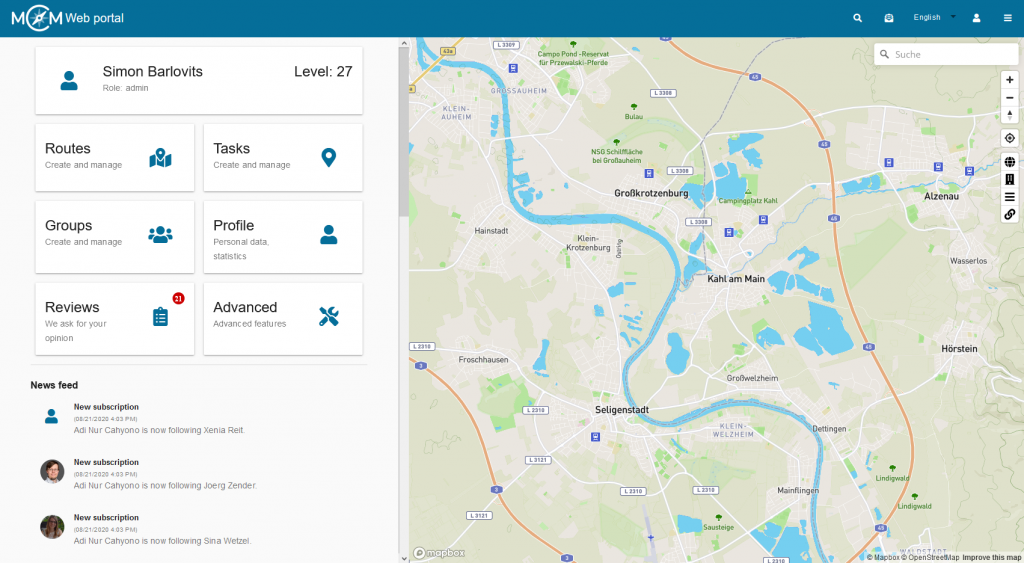
This morning the Community Website was released as a new part of the MCM web portal. As an output of our Erasmus+ project MoMaTrE, the community website aims to connect MathCityMap users all over the world. MathCityMap now has its own small social network.
With the launch of the MCM community website, it is now possible to follow other users and write posts. In addition, you can celebrate your own successes in the MCM portal by winning awards and show them to others. The first changes are already noticeable when you enter the MCM web portal: at the top of the toolbar there is now a small letter, which may already be marked with a red number to announce the existence of new notifications. These notifications inform about new followers, news, contact requests and of course about new awards.
The feed is waiting under the main menu on the start page of the MCM web portal. The first time you log in to the MCM web portal since the community website was published, this feed is empty. However, it will fill up quickly as soon as you follow other MCM users. From then on, the feed informs about the latest activities of the users you are following. Who last published a new trail or task and who is collecting awards? In the feed you can find all this information bundled together.
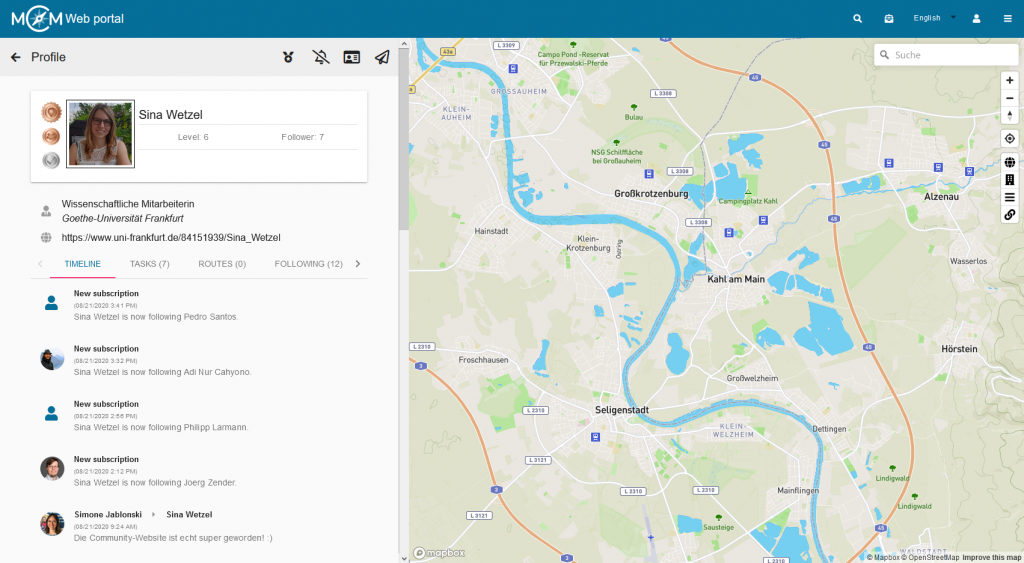
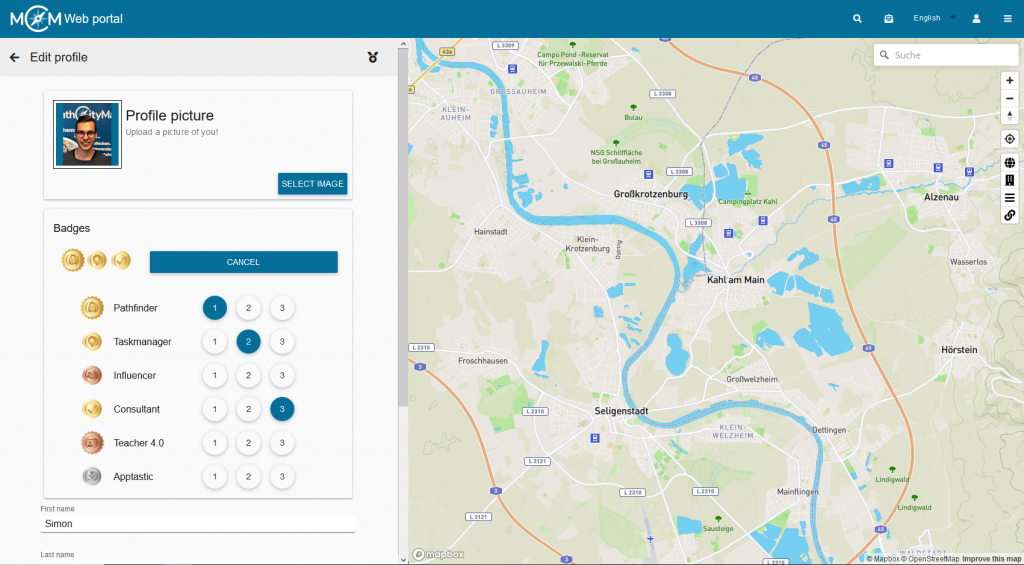
The Community Website offers much more than that which is visible on the start page. The menu item “Profile” takes you to your own personal page, which is still quite empty at the start of the Community Website and which needs to be filled in. In addition to uploading a profile picture, you can enter information about your activity and job here, as well as link to your own website, if available. The timeline, located directly below the profile, provides an overview of your own activities.
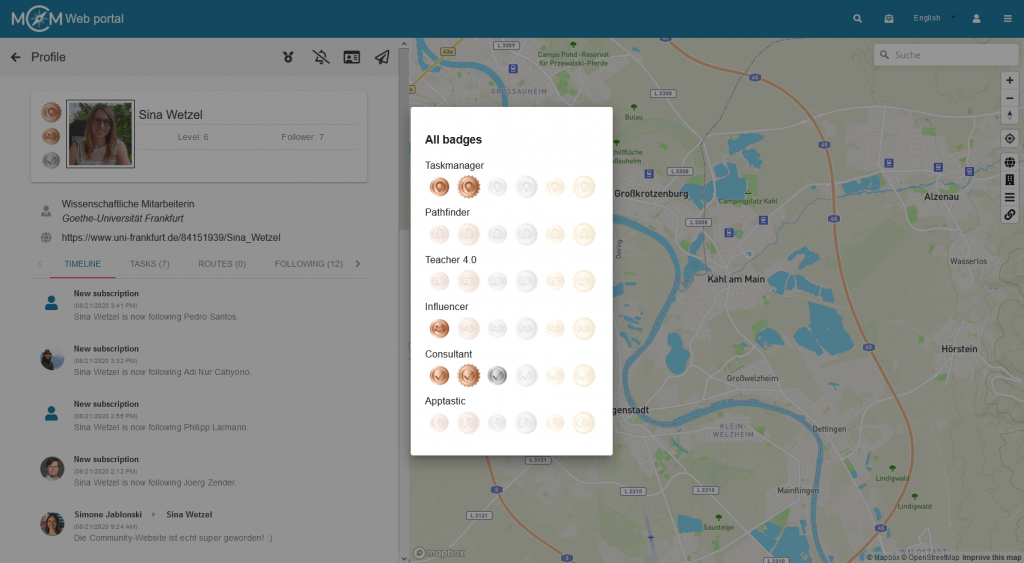
One of the most interesting innovations is certainly the numerous awards that can be received. At the launch of the community website there are awards for achievements in six different areas: Number of published MCM tasks, number of published MCM trails, number of reviews completed, number of digital classrooms completed (with a minimum of four participants and a minimum duration of 45 minutes), number of followers and total number of downloads of own trails in the MCM app. For each of these awards there are six levels to achieve. Those who can adorn themselves with a silver award (level 3) have already gained a lot of experience in using MathCityMap. To reach the last level, a golden award, decorated with a wreath, even professionals have to make an effort. A click on the award symbol in the toolbar of your profile gives information about the required numbers for the different awards.
In your own short profile, which from now on can also be seen in the self-created tasks and trails, up to three awards can be displayed and thus made visible to everyone at first glance. The selection of the awards that are displayed can be made in the profile’s edit mode.
There are several ways to interact with other users. For example, you can use the small magnifying glass in the toolbar at the top of the portal to search for a user whose name you know. On the profile of another user you now have various possibilities for interaction, some of which are only activated when you follow the person. For example, you can write a message to others or request their contact information if you want to exchange information outside the portal.
We hope you enjoy exploring the community website and following each other, writing messages and of course collecting awards!
We are very pleased to announce the publication of our ROSETA proceedings (Research on Outdoor STEM Education in the digiTal Age) as online open access: https://doi.org/10.37626/GA9783959871440.0
The conference was planned within the framework of our Erasmus+ project MoMaTrE. All MathCityMap related papers in our ROSETA proceedings can be separately downloaded via the added doi-links.
MathCityMap related papers in the ROSETA proceedings:
Over the past three days, we were working on the further development of our app: During this year’s project meeting of the MoMaTrE team (Mobile Math Trails in Europe), we discussed many different ideas for the MathCityMap app in Berlin from Thursday to Saturday.
Apart from the MathCityMap team from Goethe University Frankfurt, our project partners from the universities of Lyon (France), Porto, Lisbon (each Portugal) and Nitra (Slovakia) also took part. Furthermore, we were actively supported by representatives of the Spanish Teachers’ Association and the Berlin app developer autentek.
All participants present the current state of the MathCityMap system in a constructive working atmosphere: Within the framework of MoMaTrE, the idea of the digital classroom is prototypically implemented, which allows teachers to observe the progress of individual groups when completing an MCM math trail. In addition, the pirate narrative created an opportunity to focus on playful learning using MathCityMap.
The mobile app version will soon be expanded as part of the MoMaTrE project, which will make it much easier to create or edit MCM math trails using a smartphone. We are also working intensively on our new community website, which should enable users to exchange and rate math trails. Furthermore, the math trail idea will be embedded in the curriculum in the European partner countries. Last but not least, two major multiplier events are on the program: In April, a one-week teacher training course will take place in Granada, Spain, while the STEM conference ROSETA is due in Porto, Portugal in June.
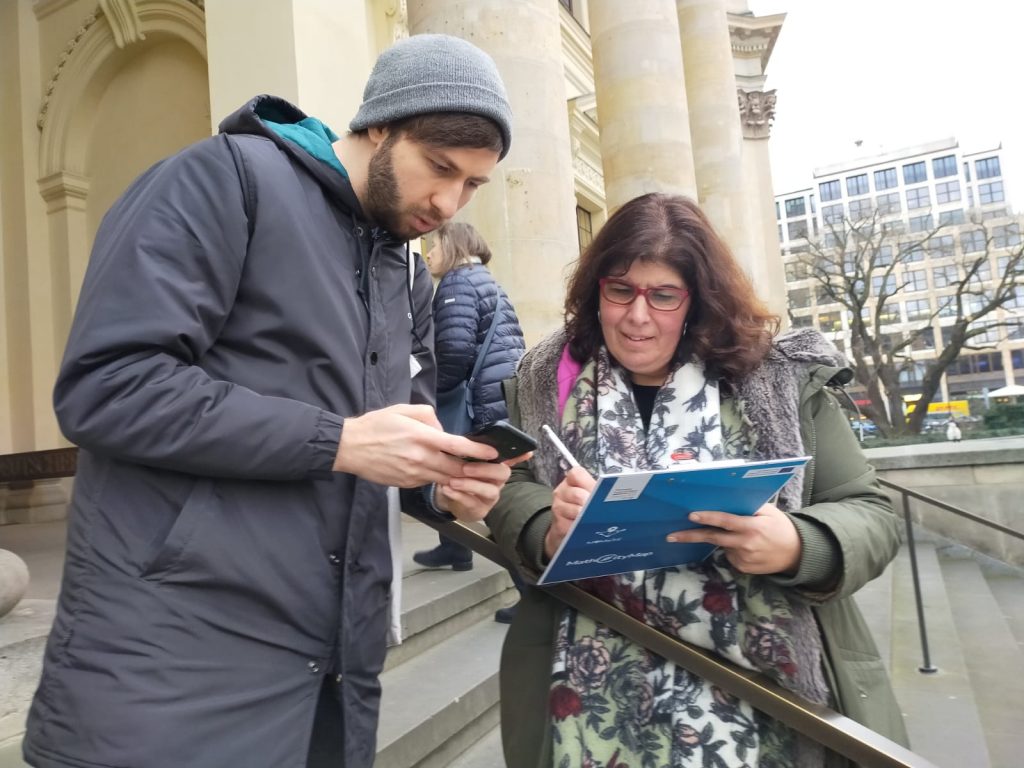
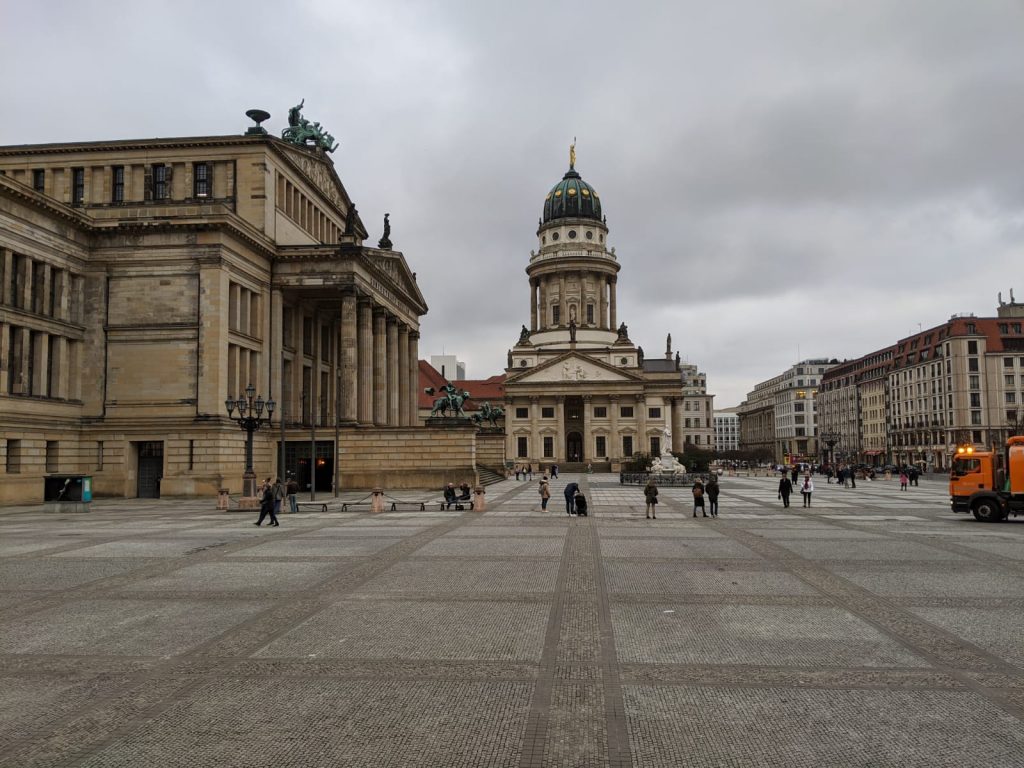
Of course, the app was not only further developed theoretically, but also put to practical use in an exciting math trail at the Gendarmenmarkt. In the digital classroom, the groups were able to demonstrate their mathematical knowledge while getting to know Berlin.
We would like to thank all partners for the productive project meeting!